Vous êtes en France ? Voulez-vous basculer sur la version 🇫🇷 du site ?
Oui, basculerNew featureLaunching November 3
Rogervoice now captions the conversations in front of you. Hold up your phone and read what is said, as it is said, in large, clear text.
In-person captioning is free.
Step 01
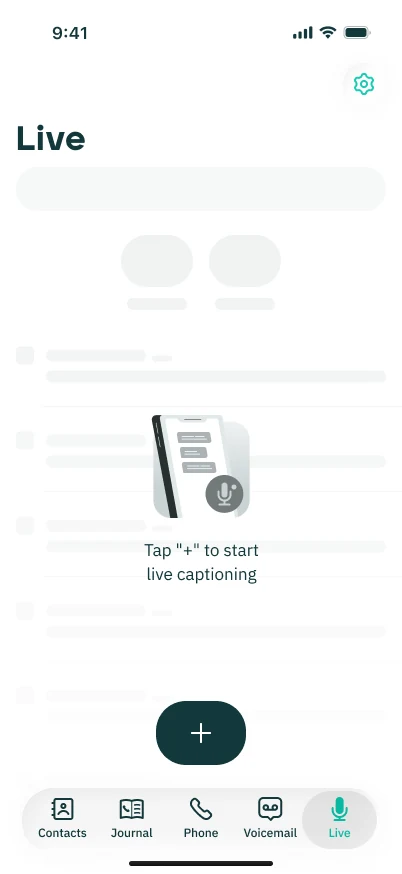
It sits next to Phone and Voicemail in the Rogervoice app.
Step 02
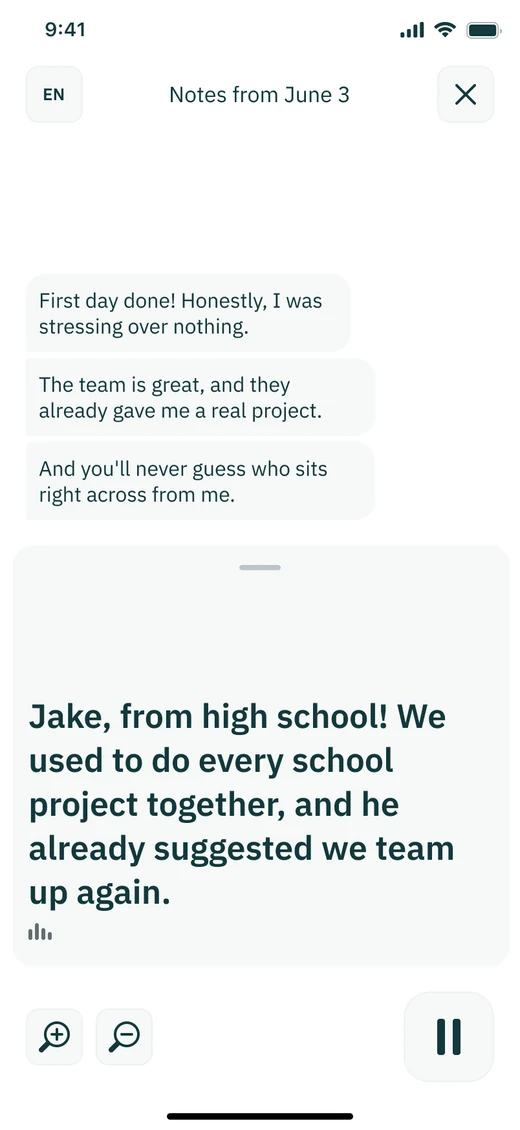
Captions start straight away. Choose the language with the EN button.

Step 03
Make the text as big as you like and pause when you need a moment.
Step 04
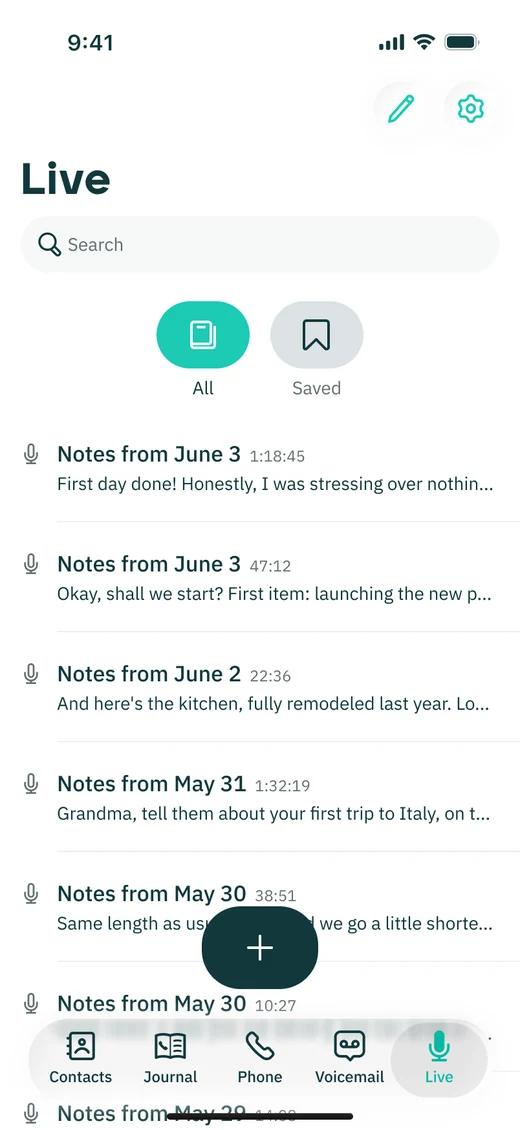
Every conversation is saved as a note you can search and bookmark.

Real-time captions on every call. Free, AI-only, no human listener. 12 million+ calls captioned.



Federal notice: FEDERAL LAW PROHIBITS ANYONE BUT REGISTERED USERS WITH HEARING LOSS FROM USING INTERNET PROTOCOL (IP) CAPTIONED TELEPHONES WITH THE CAPTIONS TURNED ON. IP Captioned Telephone Service may use a live operator or automated speech-recognition technology.
Rogervoice also captions your in-person conversations for free!
Rogervoice sous-titre aussi vos conversations en face à face gratuitement !
